


Key Takeways:
Getting started with Wahed Real Estate only takes a few minutes. In this guide, we’ll walk you through each step of the account setup process.
Creating an account allows you to access real estate investments in the Wahed app, including individual property opportunities and a diversified fund.
What you'll need before starting
Before starting the signup process, it’s best to have this information handy:
- Government-issued photo ID - valid driver’s license, or passport or permanent residence permit (must be valid)
- Social Security Number (SSN).
- U.S. residential address and a mobile number for verification.
Step-by-step account creation
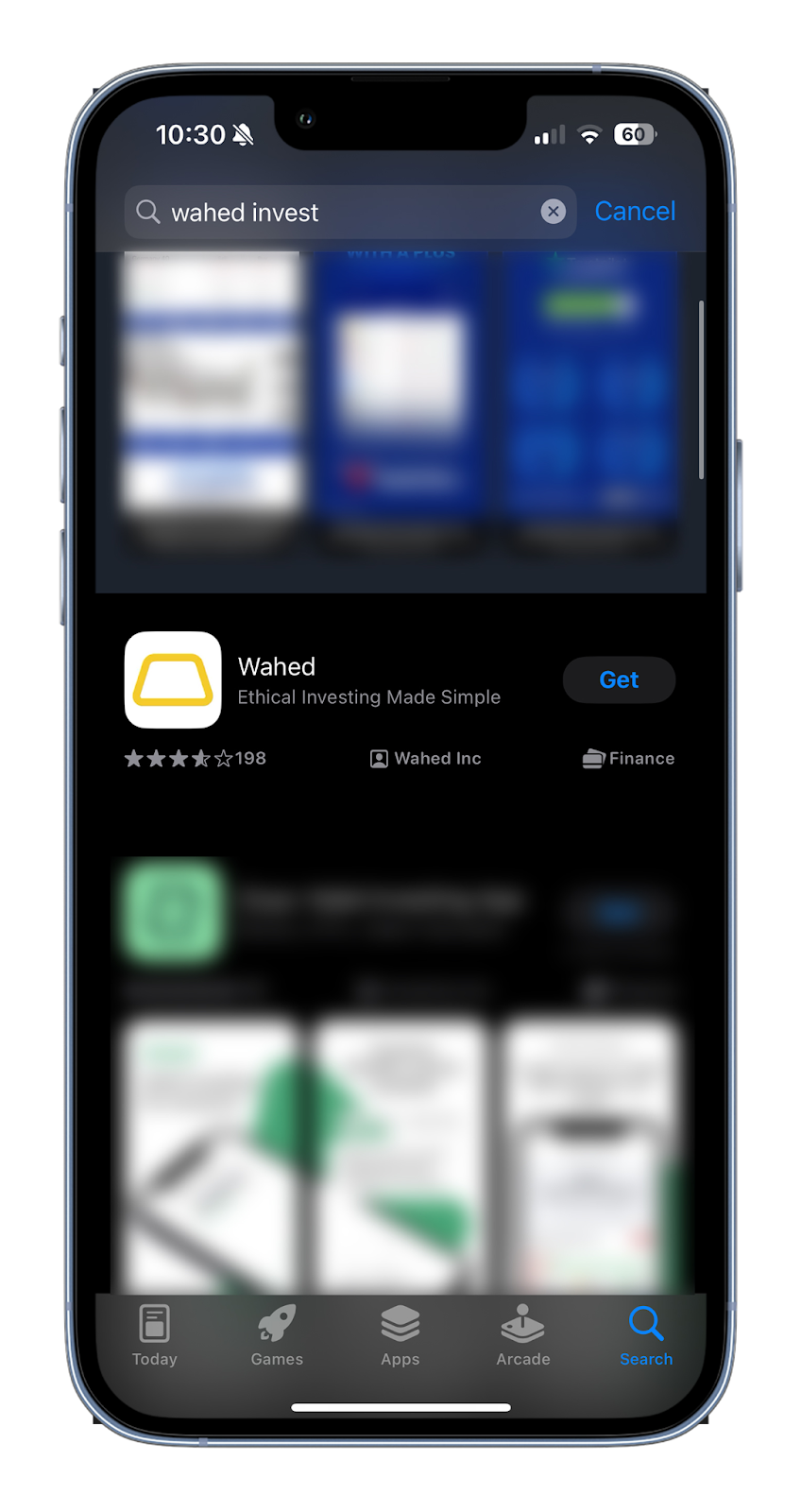
Step 1: Download the Wahed app
Search for ‘Wahed’ on the App Store or Google Play Store, or download the app by clicking here.
Step 2: Sign up or log in
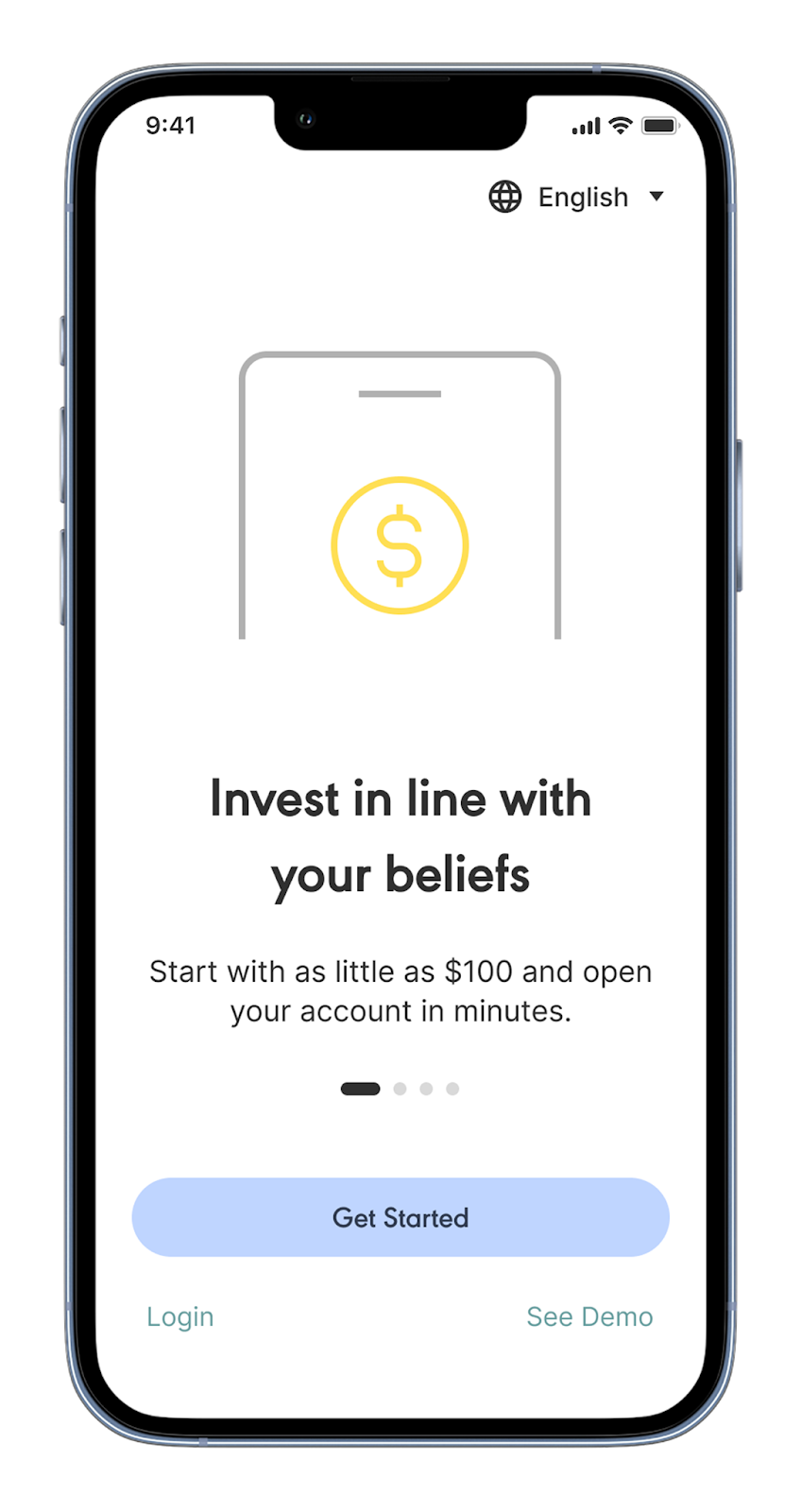
- New to Wahed: Tap Sign up, enter your email, create a secure password and follow the prompts.
- Already a Wahed user: Tap Log in with your existing credentials (you will still complete Real Estate KYC and onboarding).
You’ll receive a one-time code via email/SMS to confirm your details.
Step 3: Choose your investment
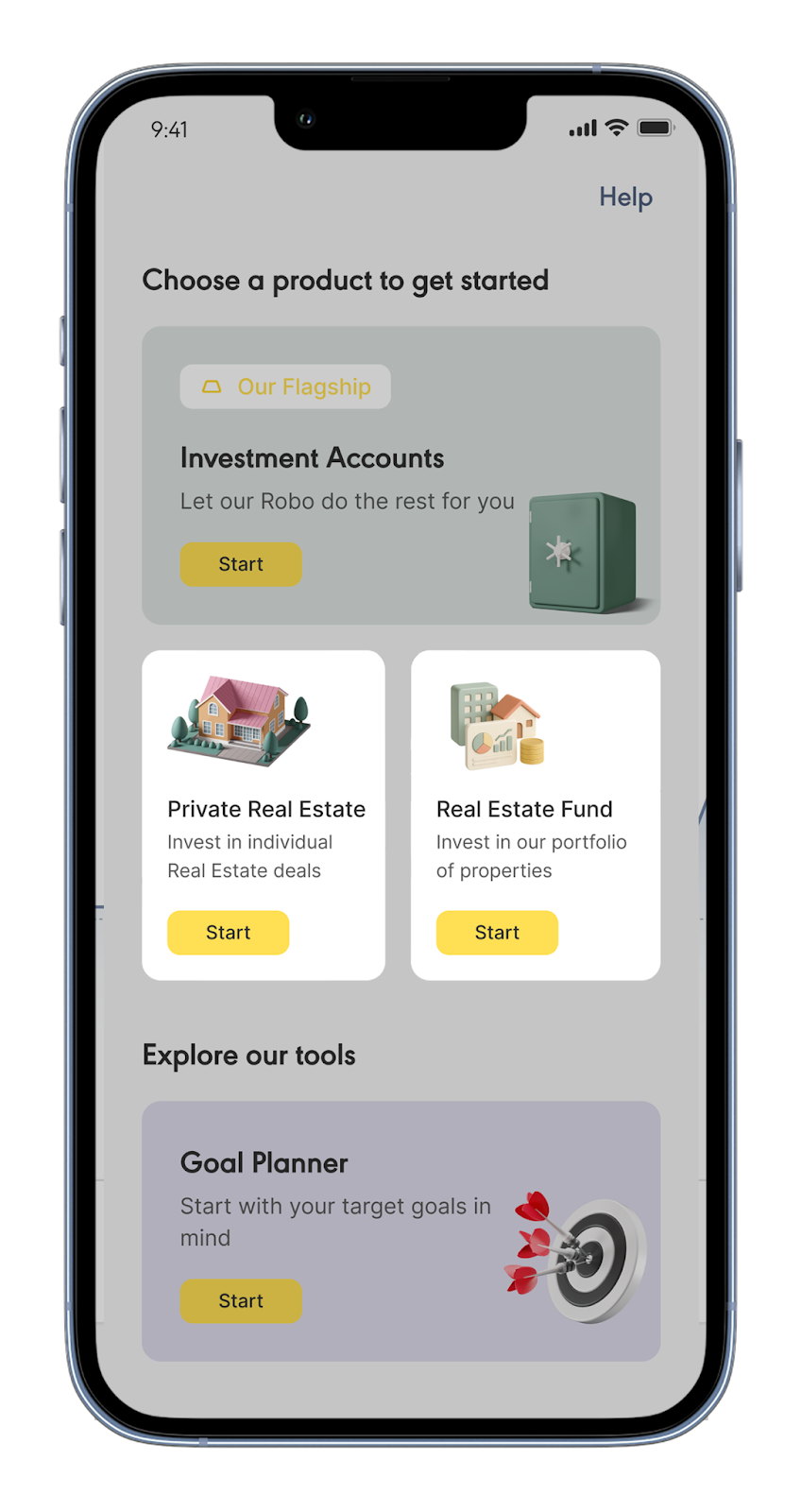
After signing in, you’ll see the product selection screen. Choose the investment you want to set up first:
Private Real Estate
Invest in individual real estate deals offered one property at a time.
Real Estate Fund
Invest into a diversified portfolio of properties through a single investment.
The Real Estate Fund allows you to add investments in an always available fund, while Private Real Estate opportunities are available only during their funding period.
Selecting an option starts the account opening process for that investment.
Step 4: Enter your personal details
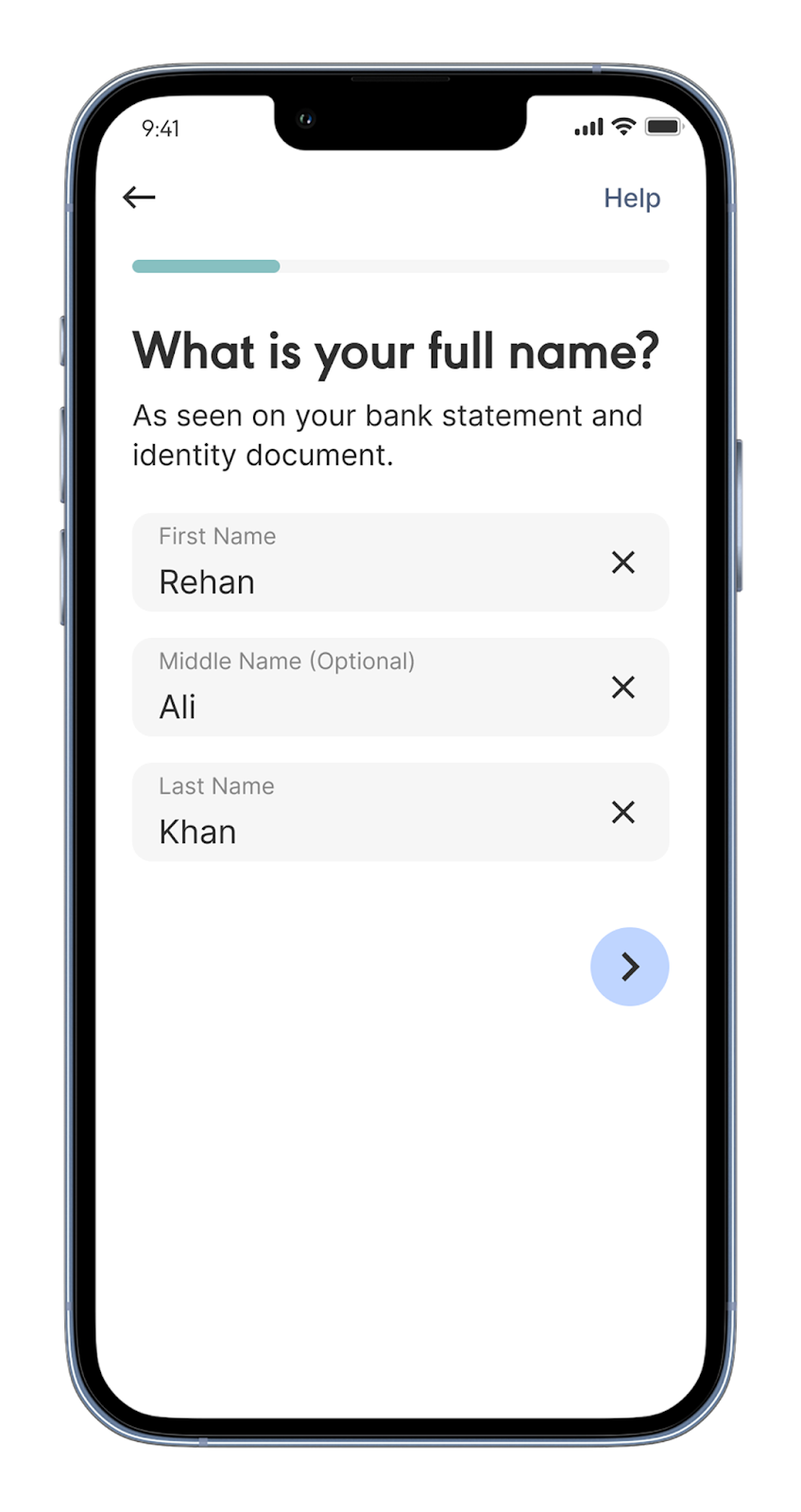
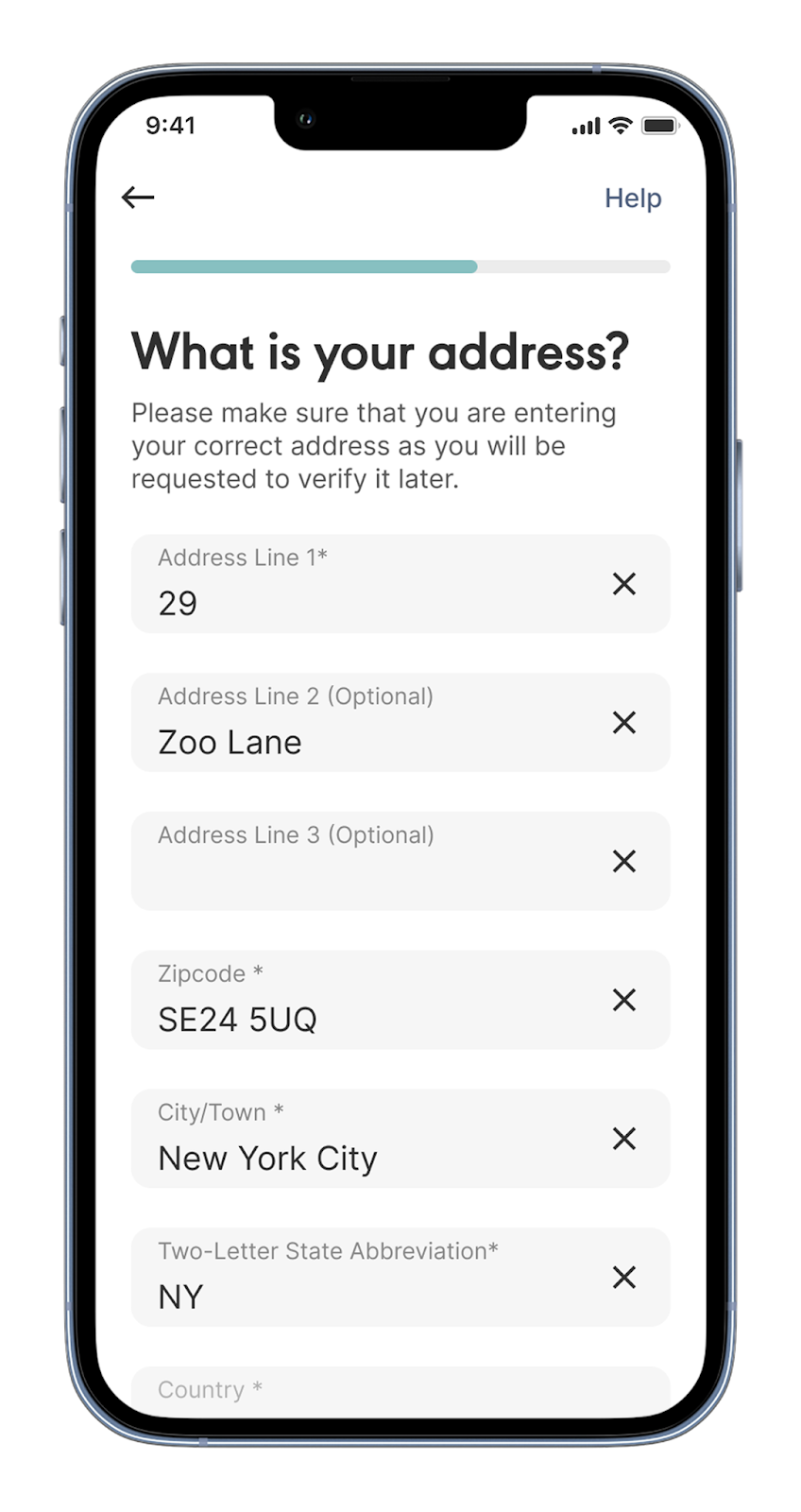
Provide your full legal name (as it appears on your ID), date of birth, residential address, and mobile number. These help us meet regulatory requirements and ensure your account details match your documents.
Step 5: Regulatory questions
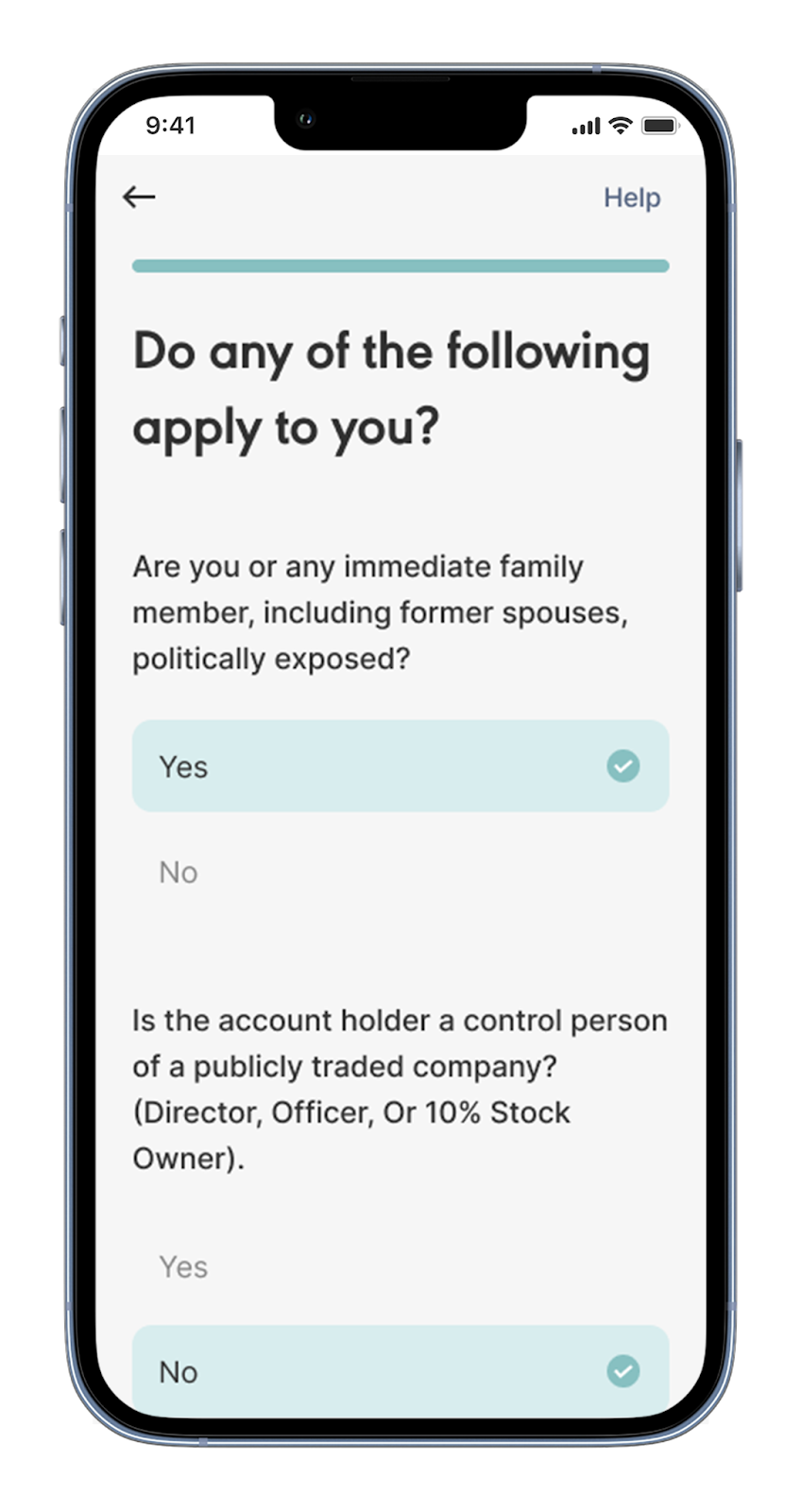
Answer a brief set of regulatory and investor information questions (e.g., tax backup withholding, politically exposed person status). These are standard investor protection questions.
Step 6: Review and accept terms and conditions
Review your details and accept the platform terms, including our Privacy Policy and Terms of Use.

Step 7: Verify your identity (KYC)
As a regulated financial institution, we are required to verify your identity before you can invest.
This involves:
- Verifying nationality and country of birth.
- Entering your Social Security Number.
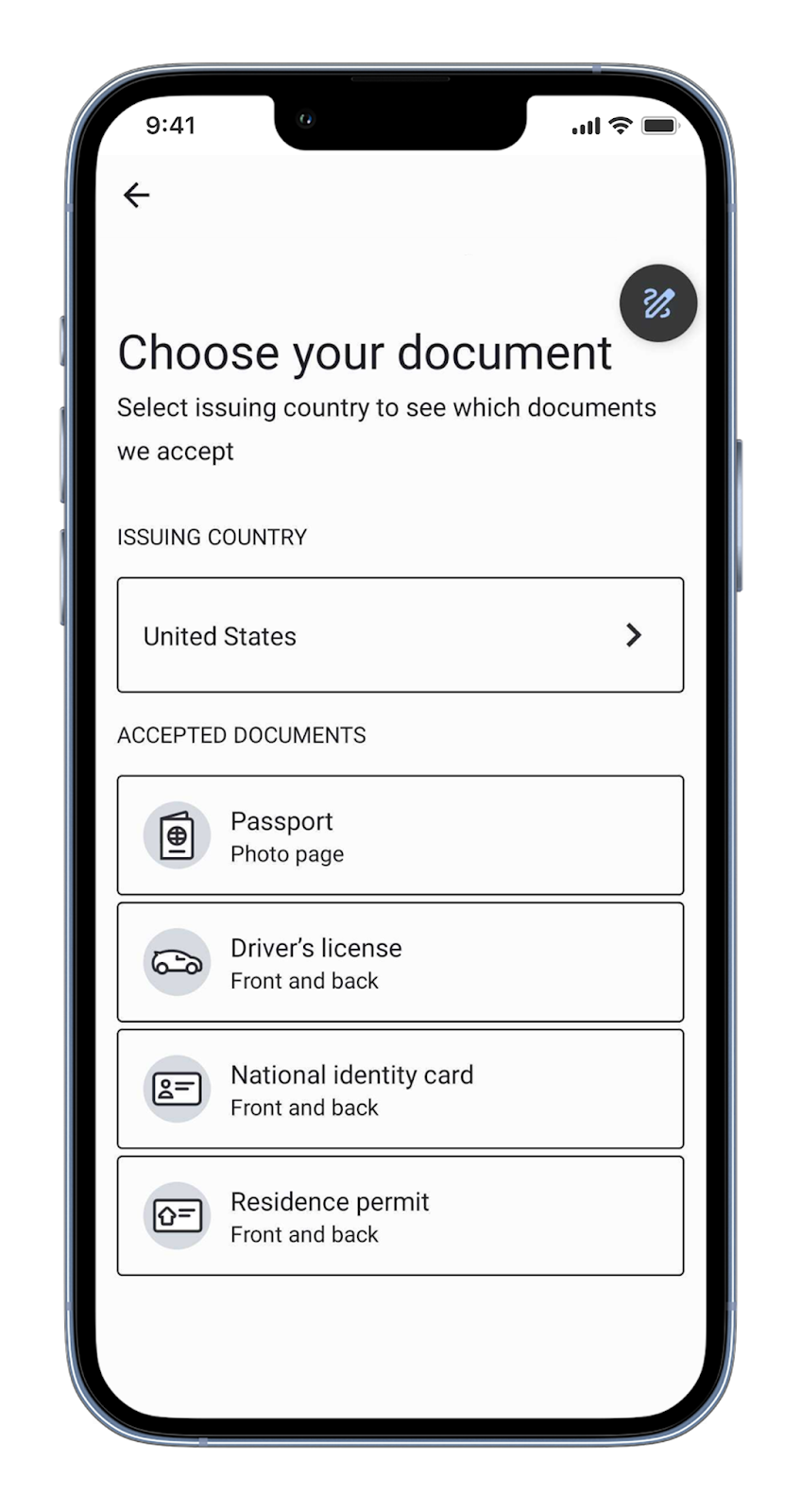
- Uploading a valid photo ID.
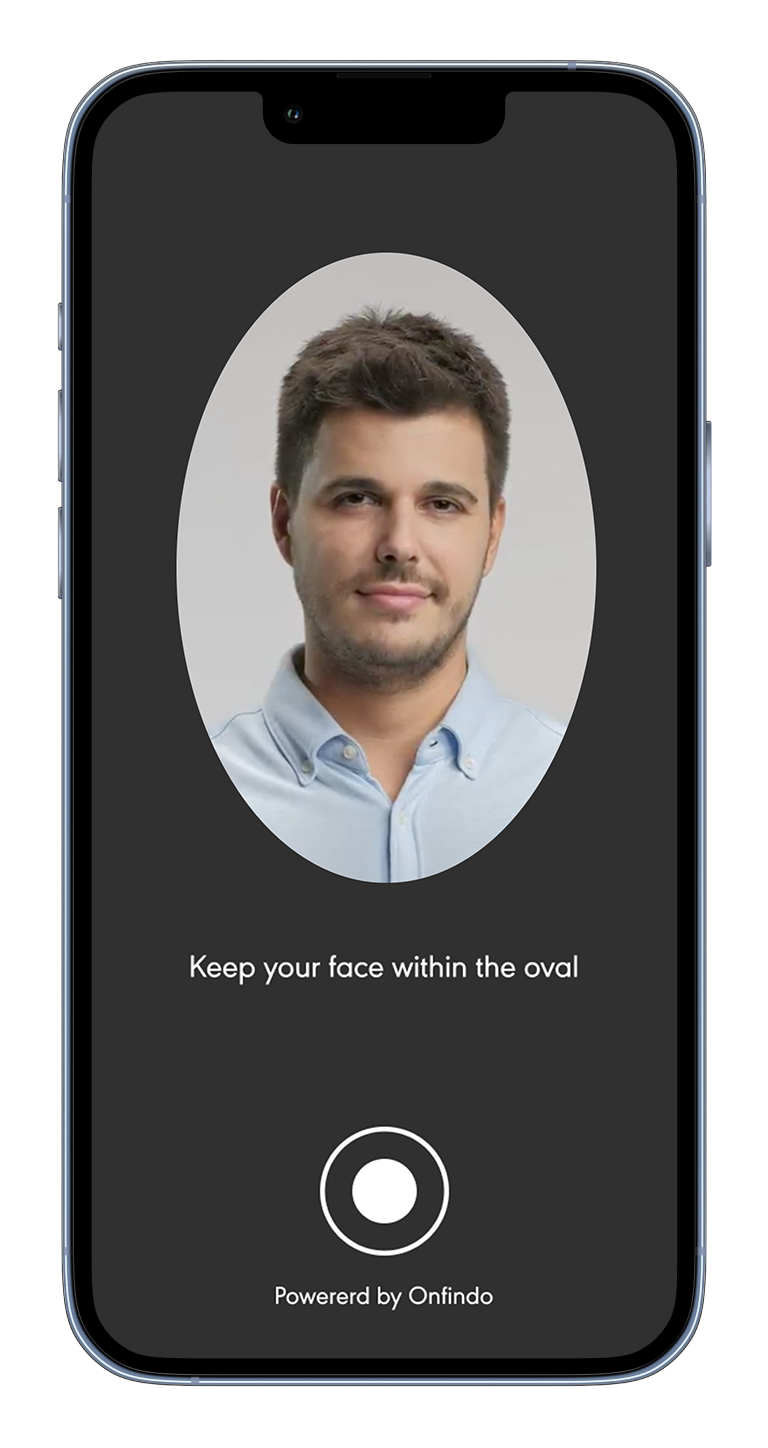
- Taking a clear selfie to match your ID.
Follow the prompts on the screen and ensure the photos are well-lit and in focus.
Step 8: You’ll reach the dashboard
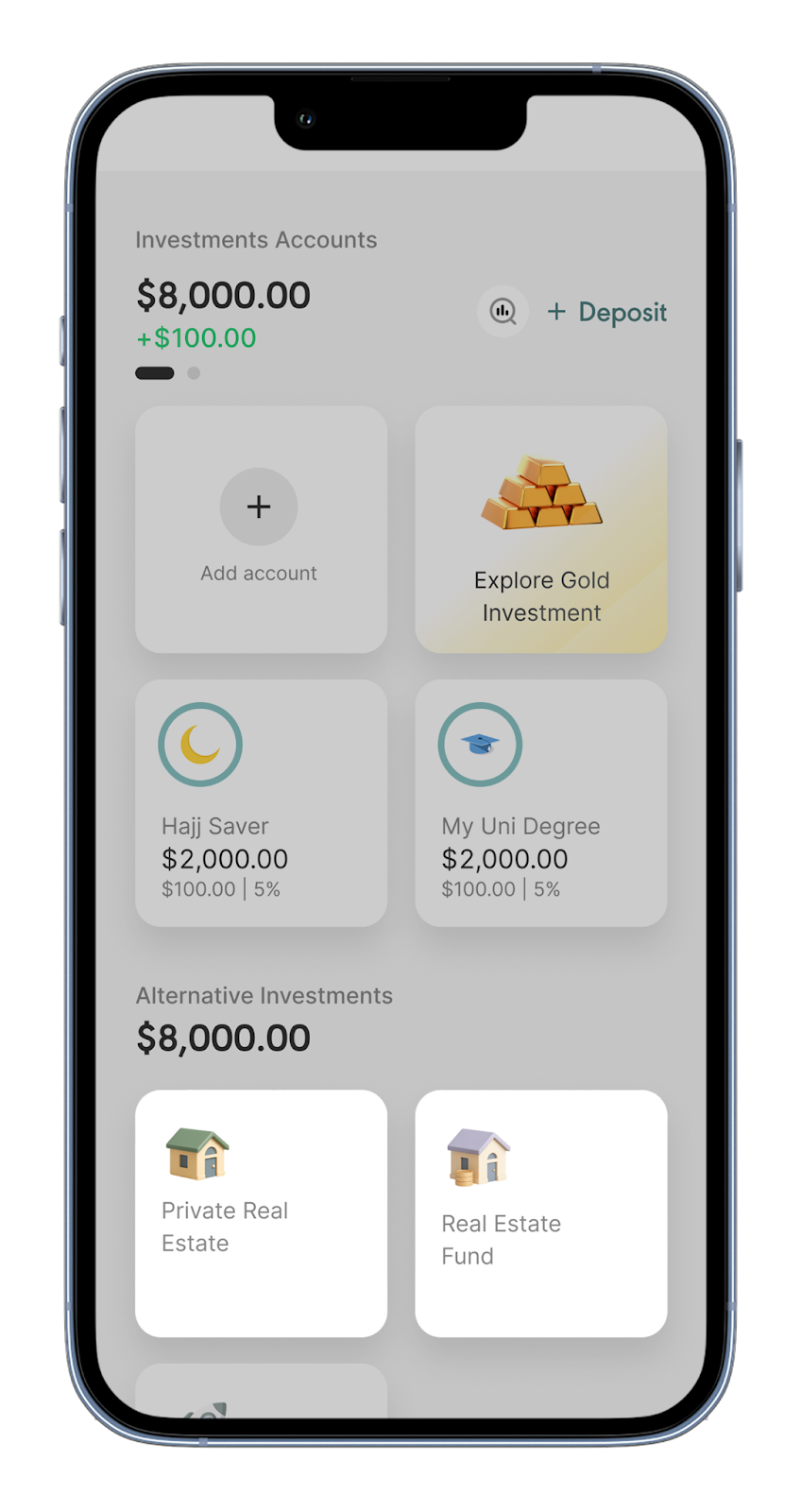
After verification is complete, you’ll land on the main dashboard of the Wahed app.
From there, open Private Real Estate or the Real Estate Fund to complete onboarding.
Tips for successful account setup
- Use the same legal name everywhere. Make sure your app details match your ID and bank records exactly.
- Take clean ID photos. Good lighting; avoid glare; keep edges in frame.
- Choose a secure password that you haven't used elsewhere.
- Watch for one-time codes. If a code doesn’t arrive, check spam and confirm your contact details before requesting a resend.
- Complete setup in one sitting. It’s faster and reduces the chance of a mismatch or time-out.
No. Log in to your existing Wahed account and open Private Real Estate or the Real Estate Fund. You’ll complete verification and onboarding the first time you enter it.
U.S. residents aged 18+ (or above minority age in your state), including U.S. citizens and green-card holders. You’ll need a U.S. address, Social Security Number/Tax ID and a personal U.S. bank account in your name.
Most users finish in about 10-15 minutes. In some cases, it may take longer if we require additional documentation or if further verification checks need to be carried out. You’ll be notified once your account is verified.
You can update some basic details such as your password or notification preferences directly in the app. However, if you want to change verified information like your address, name, Social Security Number or bank account, it requires additional verification. Please reach out to our support team at realestate.us@wahed.com.
Yes. You may refer to our privacy policy and terms of use.
What happens next?
Your account and identity verification for the selected option are now complete.
To start investing, open Private Real Estate or the Real Estate Fund from the dashboard and complete onboarding. This includes:
- A short appropriateness questionnaire
- Confirming your investor classification
After onboarding, investing will be available.
Each investment has its own onboarding. If you later open the other option, you’ll confirm your identity again and complete its onboarding before investing.
For example, if you set up Private Real Estate first and later open the Real Estate Fund, you’ll verify and onboard the fund at that time.
We’ve created a separate guide to walk you through that process: 👉 How to Complete your Real Estate Onboarding.

No. Log in to your existing Wahed account and open Private Real Estate or the Real Estate Fund. You’ll complete verification and onboarding the first time you enter it.
U.S. residents aged 18+ (or above minority age in your state), including U.S. citizens and green-card holders. You’ll need a U.S. address, Social Security Number/Tax ID and a personal U.S. bank account in your name.
Most users finish in about 10-15 minutes. In some cases, it may take longer if we require additional documentation or if further verification checks need to be carried out. You’ll be notified once your account is verified.
You can update some basic details such as your password or notification preferences directly in the app. However, if you want to change verified information like your address, name, Social Security Number or bank account, it requires additional verification. Please reach out to our support team at realestate.us@wahed.com.
Yes. You may refer to our privacy policy and terms of use.
Frequently Asked Questions
No. Log in to your existing Wahed account and open Private Real Estate or the Real Estate Fund. You’ll complete verification and onboarding the first time you enter it.
U.S. residents aged 18+ (or above minority age in your state), including U.S. citizens and green-card holders. You’ll need a U.S. address, Social Security Number/Tax ID and a personal U.S. bank account in your name.
Most users finish in about 10-15 minutes. In some cases, it may take longer if we require additional documentation or if further verification checks need to be carried out. You’ll be notified once your account is verified.
You can update some basic details such as your password or notification preferences directly in the app. However, if you want to change verified information like your address, name, Social Security Number or bank account, it requires additional verification. Please reach out to our support team at realestate.us@wahed.com.
Yes. You may refer to our privacy policy and terms of use.
No. Log in to your existing Wahed account and open Private Real Estate or the Real Estate Fund. You’ll complete verification and onboarding the first time you enter it.
U.S. residents aged 18+ (or above minority age in your state), including U.S. citizens and green-card holders. You’ll need a U.S. address, Social Security Number/Tax ID and a personal U.S. bank account in your name.
Most users finish in about 10-15 minutes. In some cases, it may take longer if we require additional documentation or if further verification checks need to be carried out. You’ll be notified once your account is verified.
You can update some basic details such as your password or notification preferences directly in the app. However, if you want to change verified information like your address, name, Social Security Number or bank account, it requires additional verification. Please reach out to our support team at realestate.us@wahed.com.
Yes. You may refer to our privacy policy and terms of use.
No. Log in to your existing Wahed account and open Private Real Estate or the Real Estate Fund. You’ll complete verification and onboarding the first time you enter it.
U.S. residents aged 18+ (or above minority age in your state), including U.S. citizens and green-card holders. You’ll need a U.S. address, Social Security Number/Tax ID and a personal U.S. bank account in your name.
Most users finish in about 10-15 minutes. In some cases, it may take longer if we require additional documentation or if further verification checks need to be carried out. You’ll be notified once your account is verified.
You can update some basic details such as your password or notification preferences directly in the app. However, if you want to change verified information like your address, name, Social Security Number or bank account, it requires additional verification. Please reach out to our support team at realestate.us@wahed.com.
No. Log in to your existing Wahed account and open Private Real Estate or the Real Estate Fund. You’ll complete verification and onboarding the first time you enter it.
U.S. residents aged 18+ (or above minority age in your state), including U.S. citizens and green-card holders. You’ll need a U.S. address, Social Security Number/Tax ID and a personal U.S. bank account in your name.
Most users finish in about 10-15 minutes. In some cases, it may take longer if we require additional documentation or if further verification checks need to be carried out. You’ll be notified once your account is verified.
You can update some basic details such as your password or notification preferences directly in the app. However, if you want to change verified information like your address, name, Social Security Number or bank account, it requires additional verification. Please reach out to our support team at realestate.us@wahed.com.
Yes. You may refer to our privacy policy and terms of use.


